A clean REST API with bearer auth and JSON — create, edit, list and track branded links and dynamic QR in code. Available on the Business plan.
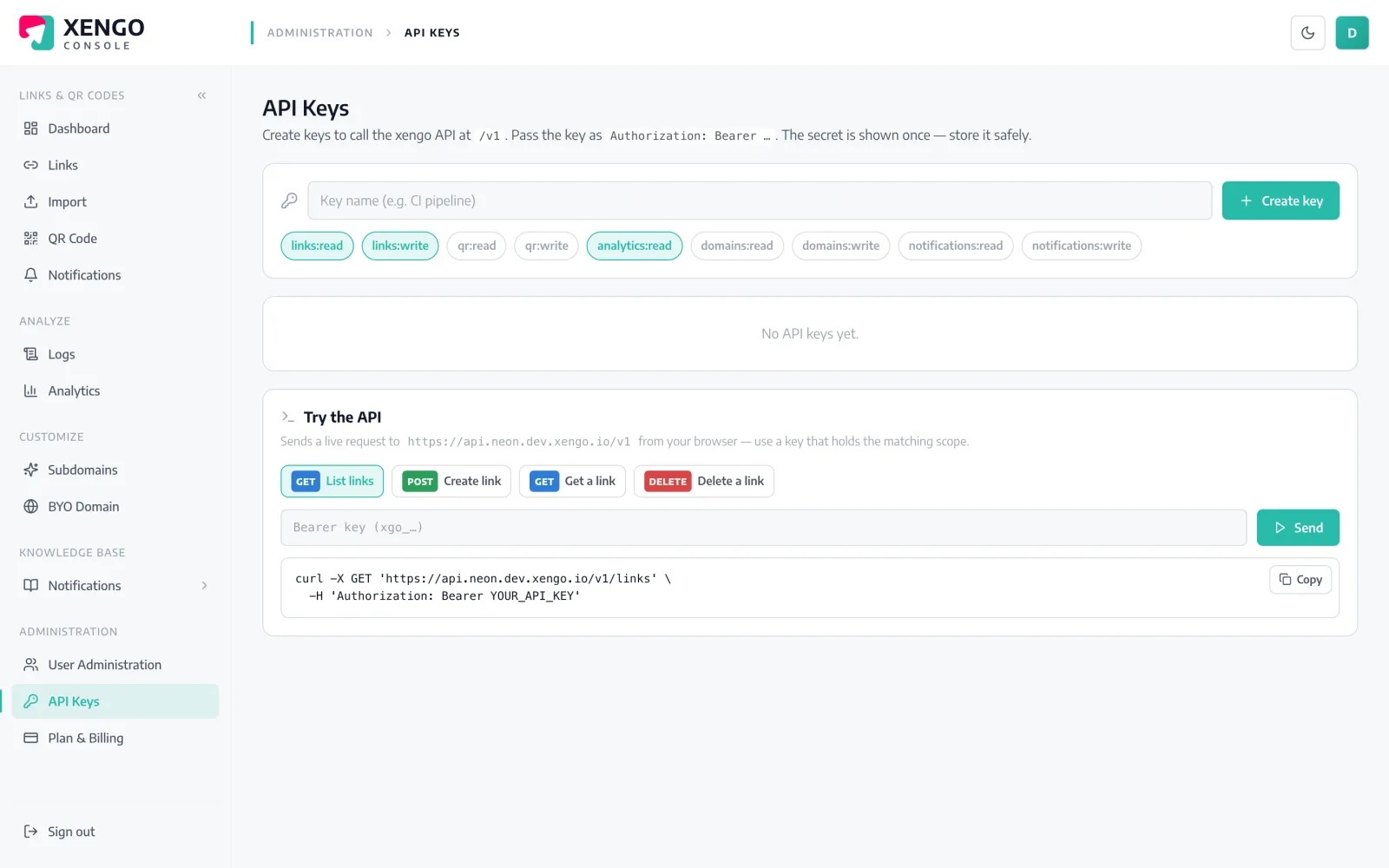
Everything you do in the console, you can do in code. Mint an API key, call a simple REST endpoint with a bearer token, and create, re-point, list, tag and measure links and QR at scale — wired into your own systems, CI or automations.
Generate an API key in the console under API Keys (Business plan).
Send a bearer-authenticated request to api.xengo.io — plain REST and JSON.
Create, re-point, tag and track links and QR in bulk from your own code or tools.
Create branded links on your own domain, re-point them, tag them and delete them — the same operations you run in the console, over a clean REST API.
Spin up thousands of links in a single call, or wire link creation into your CRM, CI or campaign tooling. The API is the console — scriptable.
Bearer-authenticated REST with JSON. Pick an operation:
curl -X POST https://api.xengo.io/links \
  -H "Authorization: Bearer $XENGO_API_KEY" \
  -H "Content-Type: application/json" \
  -d '{
    "destination": "https://acme.com/spring-sale",
    "domain": "go.acme.com",
    "code": "spring",
    "tags": { "campaign": "spring", "channel": "newsletter" },
    "notifyChannels": ["slack-growth"]
}'{
"code": "spring",
"shortUrl": "https://go.acme.com/spring",
"destination": "https://acme.com/spring-sale",
"domain": "go.acme.com",
"status": "active",
"tags": { "campaign": "spring", "channel": "newsletter" },
"notifyChannels": ["slack-growth"],
"createdAt": "2026-07-03T14:20:00Z",
"clicks24h": 0
}curl https://api.xengo.io/links \
-H "Authorization: Bearer $XENGO_API_KEY"{
"links": [
{
"code": "spring",
"shortUrl": "https://go.acme.com/spring",
"destination": "https://acme.com/spring-sale",
"status": "active",
"clicks24h": 128,
"lastClickAt": "2026-07-03T13:59:11Z"
},
{
"code": "ios-app",
"shortUrl": "https://go.acme.com/ios-app",
"destination": "https://apps.apple.com/app/acme",
"status": "active",
"clicks24h": 64
}
]
}curl -X PATCH https://api.xengo.io/links/spring \
-H "Authorization: Bearer $XENGO_API_KEY" \
-H "Content-Type: application/json" \
-d '{ "destination": "https://acme.com/summer-sale" }'{
"code": "spring",
"shortUrl": "https://go.acme.com/spring",
"destination": "https://acme.com/summer-sale",
"status": "active",
"createdAt": "2026-07-03T14:20:00Z",
"clicks24h": 128
}curl -i -X DELETE https://api.xengo.io/links/spring \
-H "Authorization: Bearer $XENGO_API_KEY"HTTP/1.1 204 No Contentcurl "https://api.xengo.io/links/spring/stats?window=24h" \
-H "Authorization: Bearer $XENGO_API_KEY"{
"window": "24h",
"total": 128,
"points": [
{ "hour": "2026-07-03T12:00Z", "count": 41 },
{ "hour": "2026-07-03T13:00Z", "count": 87 }
]
}Authenticate with an API key as a bearer token over HTTPS.
Predictable endpoints under api.xengo.io — JSON in, JSON out.
Create, update, list, delete and re-point links and their QR.
Create many links in a single request.
Pull bot-filtered click and scan counts per link.
API access is available on the Business tier.
Generate an API key in the console (API Keys), then send it as a bearer token — Authorization: Bearer <key> — over HTTPS.
The API is available on the Business plan.
Create, update, list, delete and re-point links, create in bulk, and pull per-link click and scan stats — the same operations as the console.
Yes — the bulk endpoint creates many links in one request and returns how many were created, failed and requested.
Yes — set notifyChannels on a link and its clicks and scans fire your alerts, exactly as they do in the console.
Create a key and automate branded links and QR in code. Available on Business.