Get pinged the second a link is clicked or a QR is scanned — in Slack, Teams, Telegram, email or any of two dozen channels your team already uses. Sell the reaction, not the redirect.
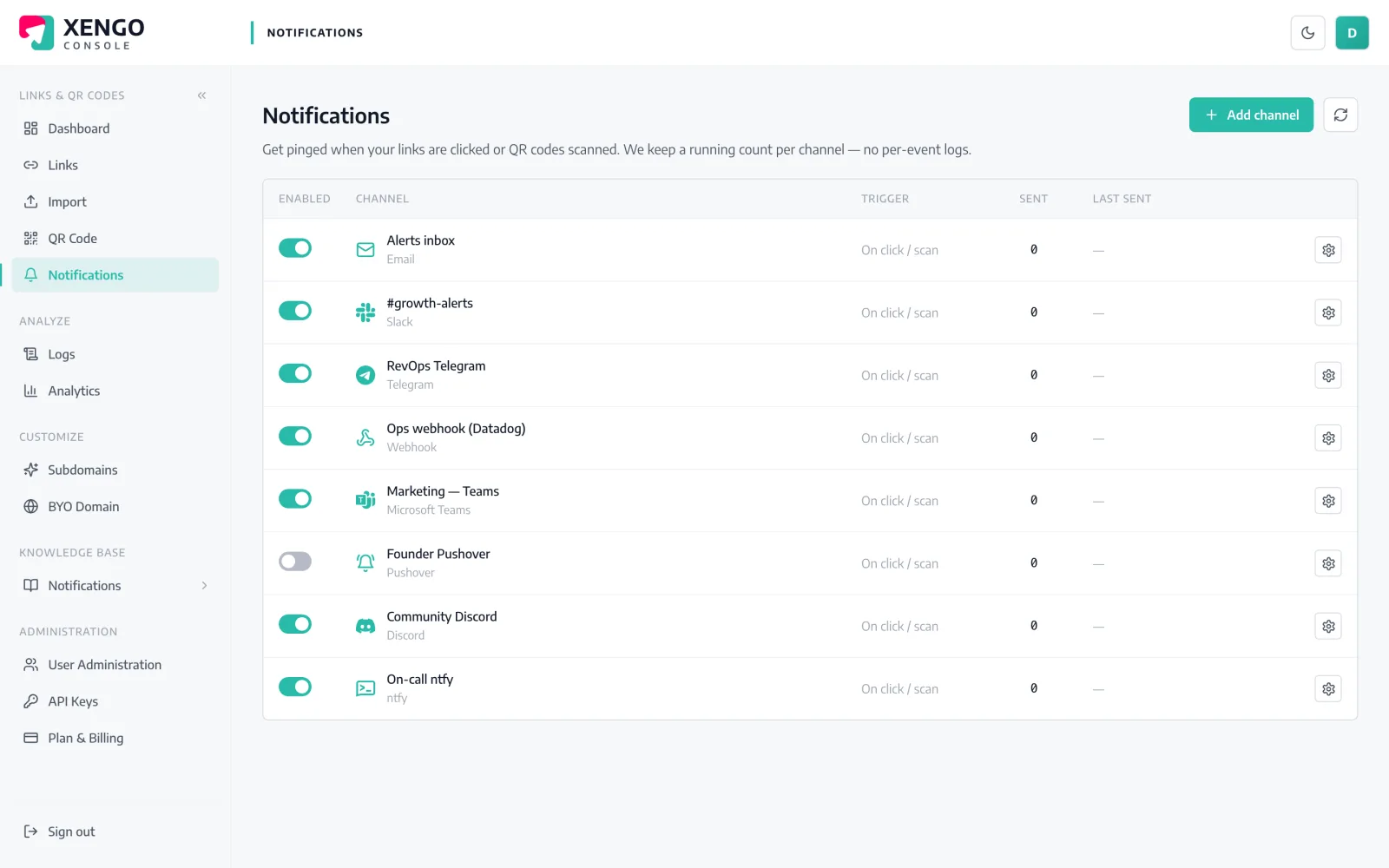
A monthly analytics report tells you what happened after it stopped mattering. A real-time alert reaches the right person while the moment is still live — when the buyer has your proposal open, when a venue code is being hammered, when a code you meant to retire is still being scanned. The ping lands where they already work, so nobody has to remember to go and look.
Add Slack, Teams, Telegram, email, a webhook or any of two dozen more in a couple of clicks.
Choose which links fire, to which channel, and when — thresholds, spikes or a VIP trigger.
The instant a click or scan lands, the alert reaches the right person, right away.
Chat, email, webhook, on-call and automation — two dozen channels, and every link can route to the ones that fit.
Alerts land in the tools you're already in — Slack, Microsoft Teams, Telegram, Discord, Google Chat and email — plus a webhook and ops tools like PagerDuty and Opsgenie, and automation hubs like Zapier, Make and n8n. Two dozen channels in all, so nobody has to check another dashboard.
You decide what's worth an alert — every click, a threshold you set, a sudden spike, or a named VIP. Tune the rules so the important scans reach a person and the background noise doesn't, and the signal stays sharp.
The ping arrives the moment the click or scan happens, so your team can act while the intent is fresh — follow up the open deck, staff the busy venue, re-point the stale link. The full event detail is always there in analytics; the alert is what gets someone moving.
Route each link to the channel that suits it — proposals to the sales Slack, equipment codes to the on-call tool, campaign QR to the marketing channel. Per-link routing means every alert reaches the people who can actually act on it.
A contact at a target account clicks your proposal link, so the account owner is pinged to call while the deck is still on screen.
Scans on a conference stand code climb past the threshold you set, so the field team is pinged to restock leaflets and staff the booth.
A price list you meant to retire is still being clicked, so ops is pinged to re-point it before anyone quotes last year's numbers.
A plant-room asset code is scanned at 2am, so the on-call engineer is paged that someone is on site outside normal hours.
Slack, Teams, Telegram, Discord, Google Chat, email, webhook and more.
PagerDuty, Opsgenie, plus Zapier, Make, n8n and Power Automate.
The alert lands the moment a click or scan happens.
Every click, a threshold, a spike, or a named VIP.
Send each link's alerts to the channel that fits.
Link clicks and QR scans both raise alerts, kept distinct.
Yes — send click and scan alerts to Slack, plus Microsoft Teams, Telegram, Discord, email, webhook and around two dozen channels in all.
Yes. The alert fires the moment the click or scan happens, so your team can react while intent is still fresh.
Yes — route each link to its own channel and trigger on every click, a threshold, a spike or a named VIP.
Yes — use the webhook channel to POST each event as JSON to any HTTPS endpoint, or wire it through Zapier, Make or n8n.
The alert is a live ping; the full per-click and per-scan detail lives in your Analytics and event logs.
Connect your first channel and get pinged in under a minute. Start free.